
Sponsors




Fix Washed-Out Skies?
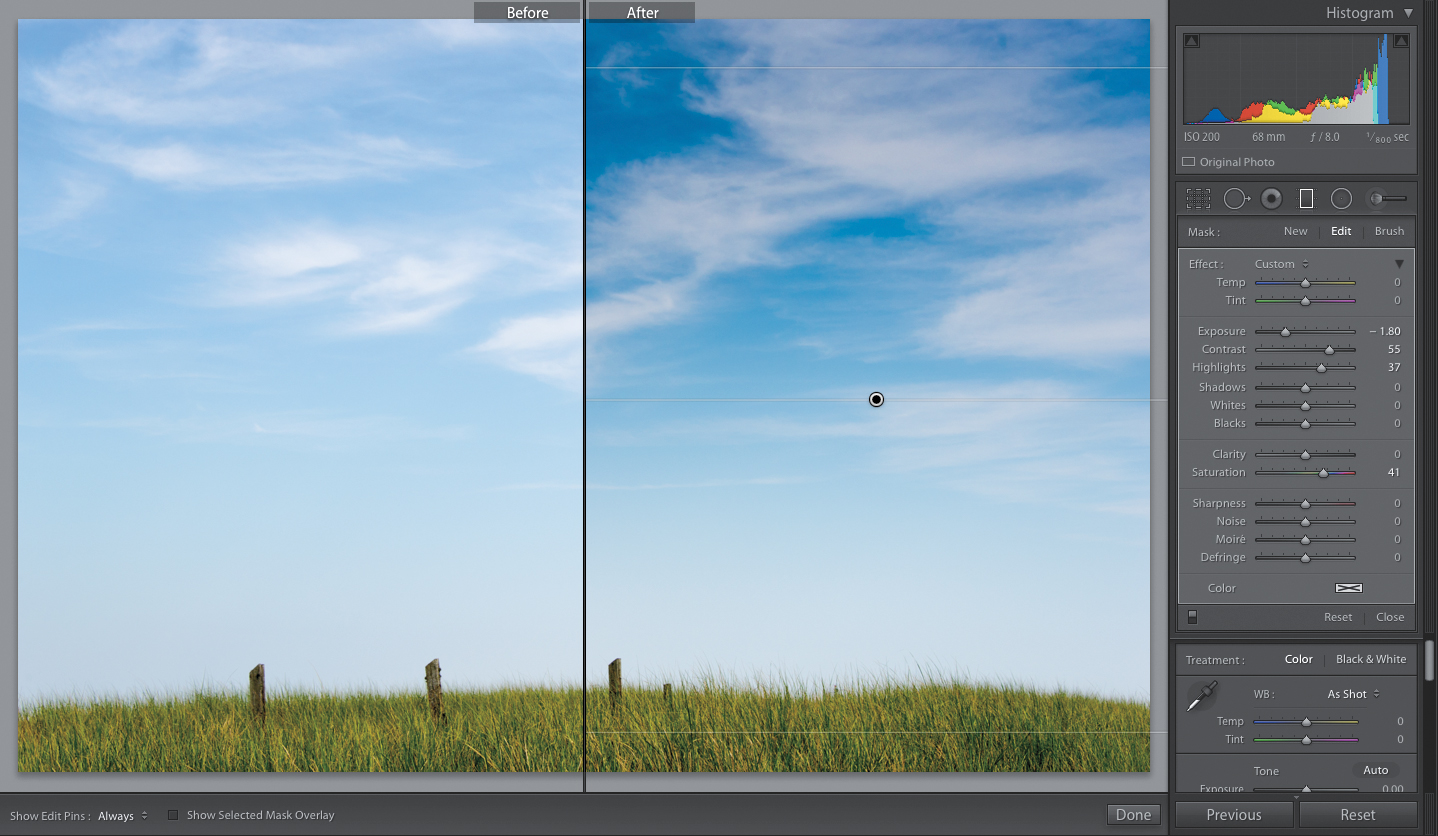
Get the Graduated Filter tool (M; it has the same basic settings as the Adjustment Brush, but it’s not actually a brush—you click–and-drag it in a direction), and start by resetting all the sliders to zero (double-click on the word “Effect,” as you just learned a couple of pages ago), and then drag your Exposure quite a bit over to the left. Now, take the tool and click-and-drag from the top of the image down to the horizon line, and it darkens the top, then gradually fades down to transparent, like a real neutral density gradient filter would if you put one on your lens. Of course, you can do more than just darken the sky: you can boost the contrast (drag the Contrast slider to the right), or the vibrancy of the color in that part of the sky (drag the Saturation slider over to the right), and increase (or decrease) the highlights in the sky using the Highlights slider.