
Sponsors




Make My Slide Show Match the Length of My Background Music Track?
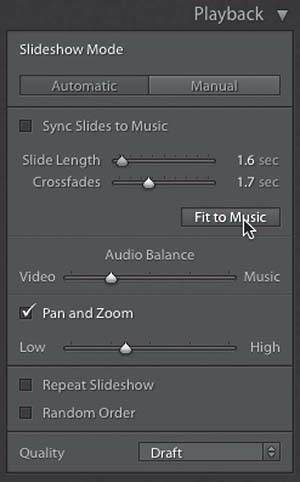
Go to the Playback panel in the right side Panels area, make sure the Sync Slides to Music checkbox is turned off, and then choose how long you want your Crossfades (the dissolve transition between slides) to be. Then, click the Fit to Music button (as seen above). It will do the math for you, based on how many slides you have in your slide show and how long of a crossfade you choose, and it’ll automatically choose the proper Slide Length, so your slide show ends when the music ends. If you need your slides onscreen longer than it chooses, lower the length of the Crossfades, and then hit the Fit to Music button again to recalculate.