
Sponsors




Fix Backlit Photos?
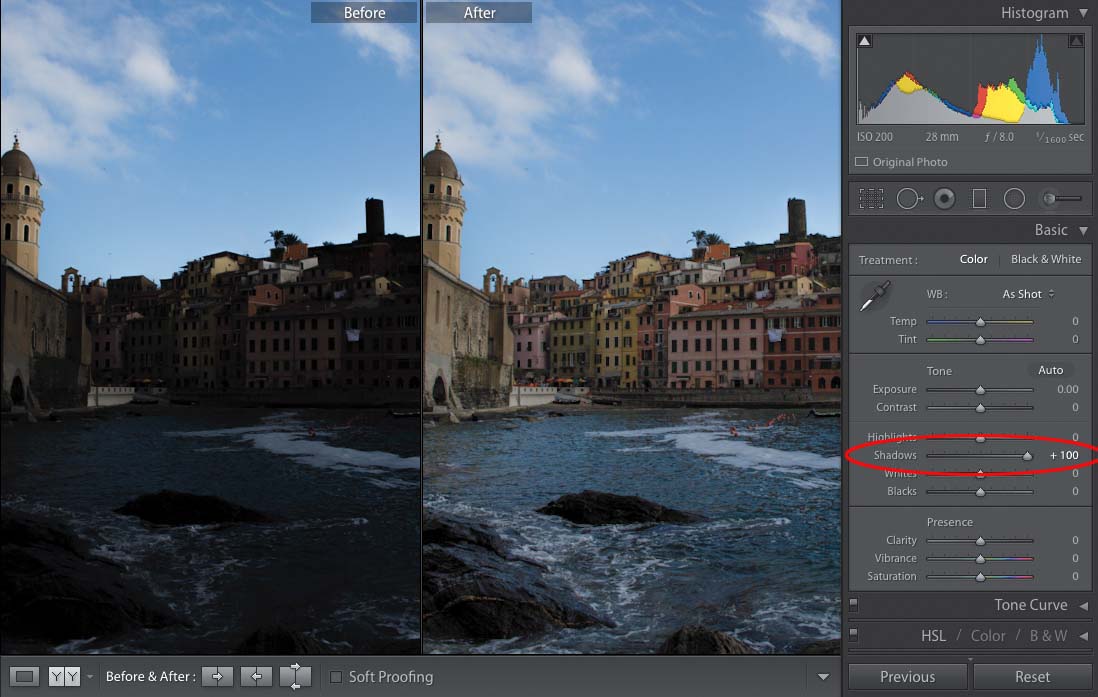
To open up those shadows to be more like what our eyes saw when we took the photo, go to the Basic panel in the Develop module and click-and-drag the Shadows slider to the right. This backlit problem happens a lot because our eyes are so amazing that they can correct for a wide range of tones, tremendously more than even the most expensive camera sensor. So, while we’re standing there in front of our subject, they don’t look like a silhouette—we see them properly exposed. When we look through our DSLR camera’s viewfinder, they still look properly exposed. But, when we press the shutter button, and it passes the image to our sensor—which captures a much narrower tonal range—the result is your subject winds up looking like a silhouette. Luckily, that Shadows slider works wonders—just drag it to the right and watch the magic happen.