
Sponsors




Create My Own Presets?
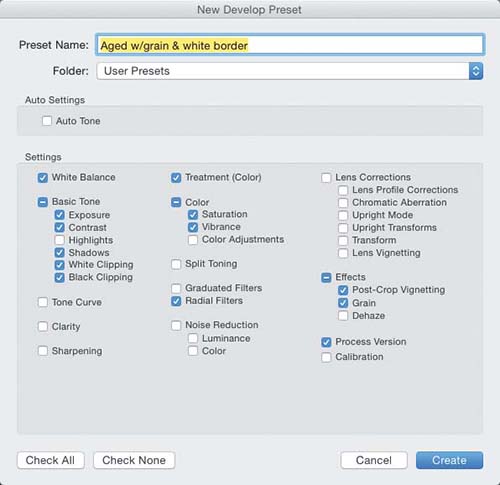
Once you have a look in place that you like, to save it as a one-click preset (so you can use it again anytime, including when your images are being imported), go to the Presets panel, in the Develop module’s left side Panels area, and click the little + (plus sign) button on the right side of the panel header, which brings up the New Develop Preset dialog you see above. Make sure just the checkboxes are turned on beside the sliders you adjusted to get your look, then click the Create button and your preset is saved (you’ll find your new preset at the bottom of the Presets panel, under User Presets, and in the Develop Settings pop-up menu, in the Import window’s Apply During Import panel [see page 8, in Chapter 1]).